
Replies to customer emails, drafted from your own documents before you open the inbox
OmniResponse reads your contracts, regulations, settlements and specifications and drafts a reply the moment an email arrives — in Gmail, Outlook or any IMAP account. Your team stops searching and starts approving: a person reviews and sends every reply.
Gmail · Outlook · IMAP — no change of email client · a person approves every reply
The problem
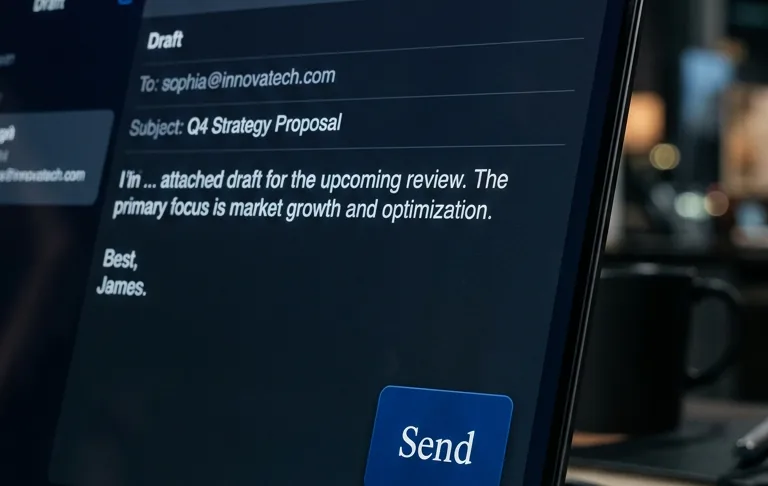
Your team spends hours on emails that Omni could draft in seconds
Searching through documents
A customer asks a question, and you open five PDFs, scroll through 200 pages, copy fragments and write a reply. It can take hours.
Answering the same questions
Most customer questions are already answered somewhere in your documents — yet every reply still takes manual searching and retyping.
Response time
Customers expect a fast answer. Omni runs in the background around the clock, weekends and holidays included, and prepares drafts for your team to approve.
What if your inbox had an assistant that already read all your documents?
Who it is for
Who is OmniResponse for
For teams whose inbox is the front line of the business — and whose answers already exist, buried in documents nobody has time to open.
Residential property management
Thousands of units, one inbox, the same questions every settlement season — answered from your resolutions and statements, in seconds.
Learn more →
Hotels & hospitality
Guests write at 2 a.m.; organisers brief four hotels at once. Your reply is drafted from your own rate sheets and kits, ready before the morning shift.
Learn more →
E-commerce
The same eight questions, ten thousand times. Drafted from your own policies, approved by your own team.
Learn more →
Another team that answers from documents
Any team that answers customers from its own documents. We’ll show you on a sample of your materials.
How it works
From question to answer in 4 steps
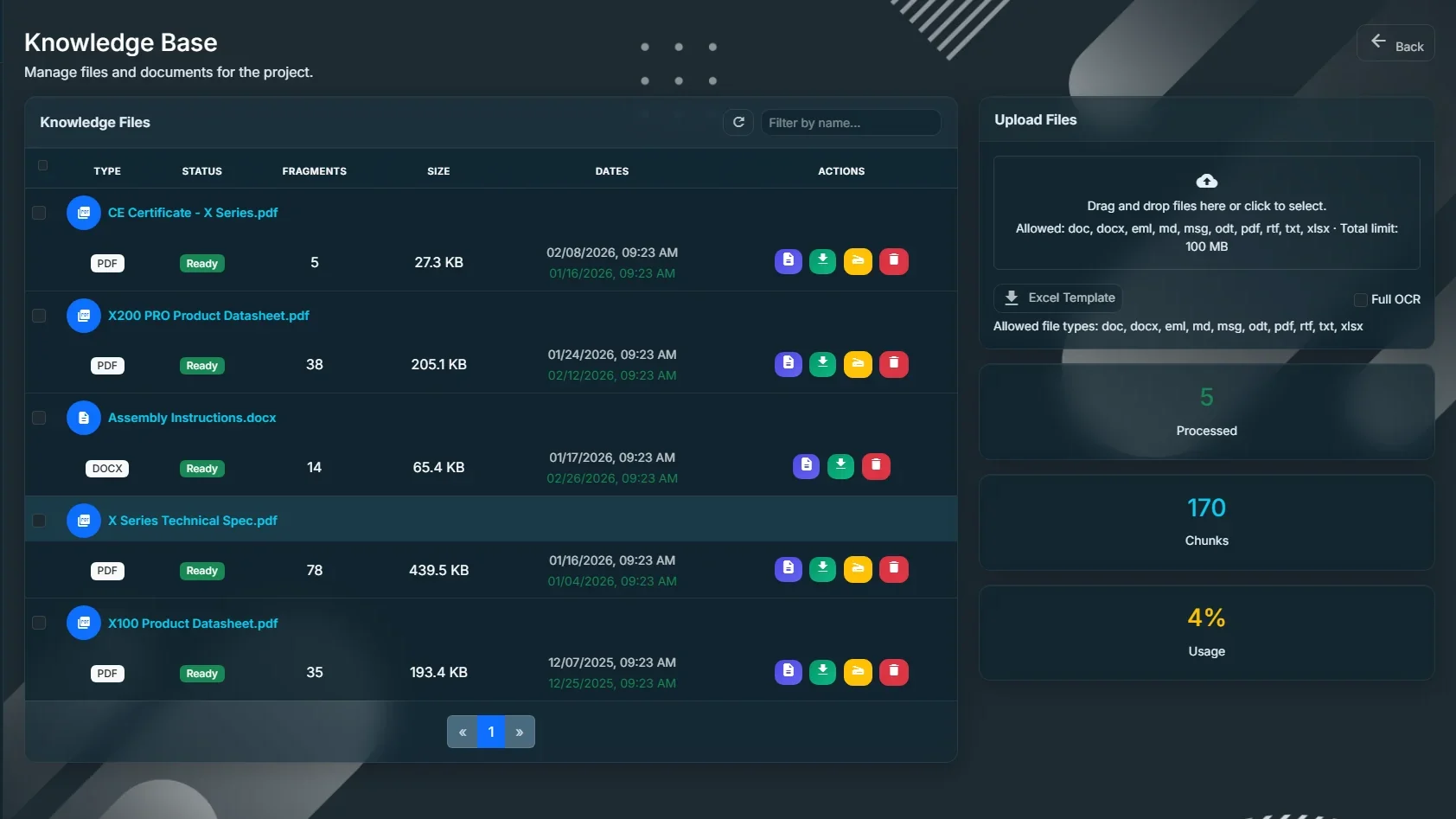
1. Upload Your Knowledge
Upload company documents (PDF, DOCX, Excel, emails) or connect cloud storage (OneDrive, Google Drive, Dropbox, SharePoint). OmniResponse reads, understands, and indexes everything.
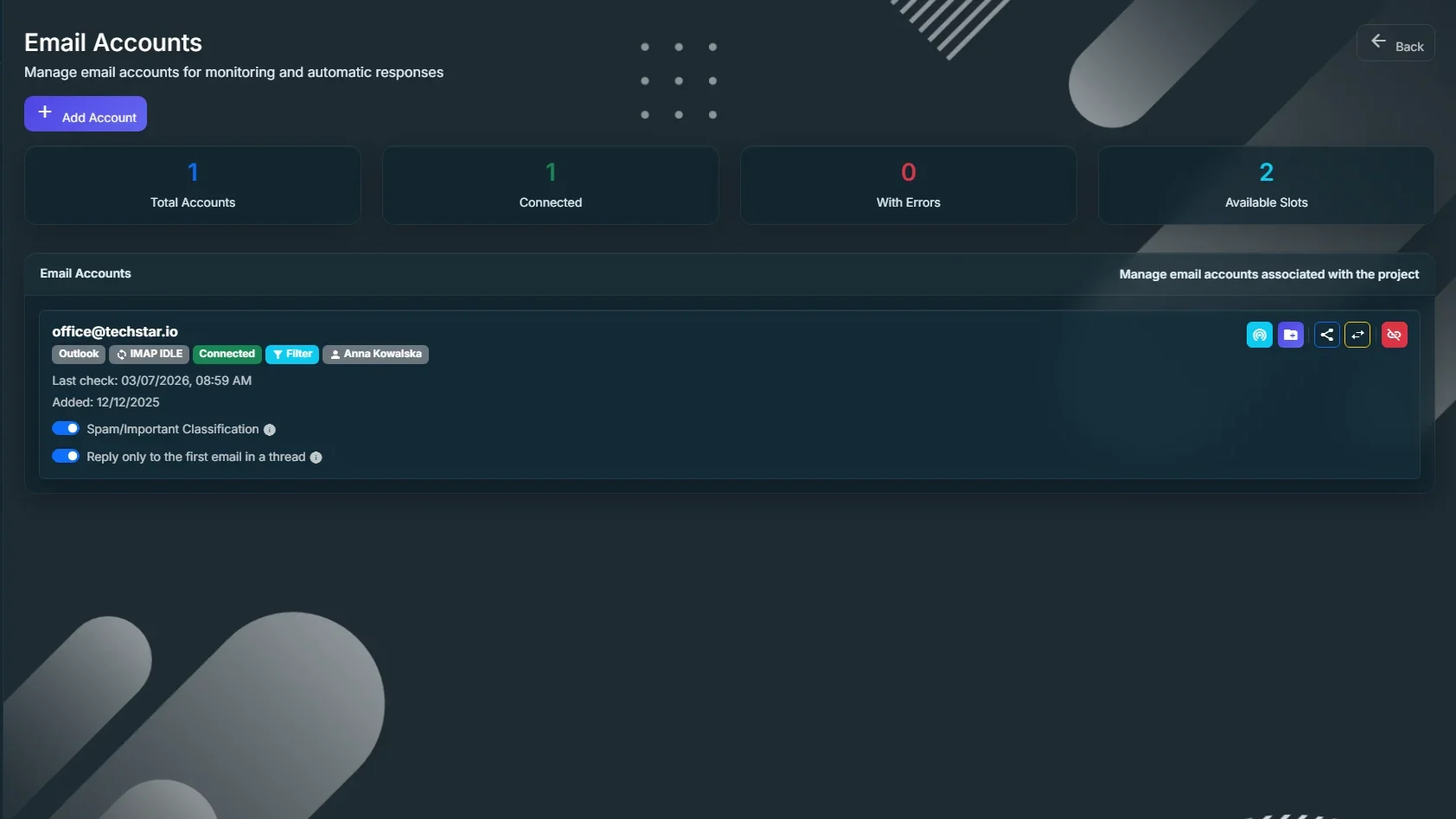
2. Connect Your Mailbox
Link your Gmail, Outlook, or any IMAP mailbox. Choose which folders to monitor. OmniResponse runs in the background around the clock, weekends and holidays included.
3. Omni Drafts Replies
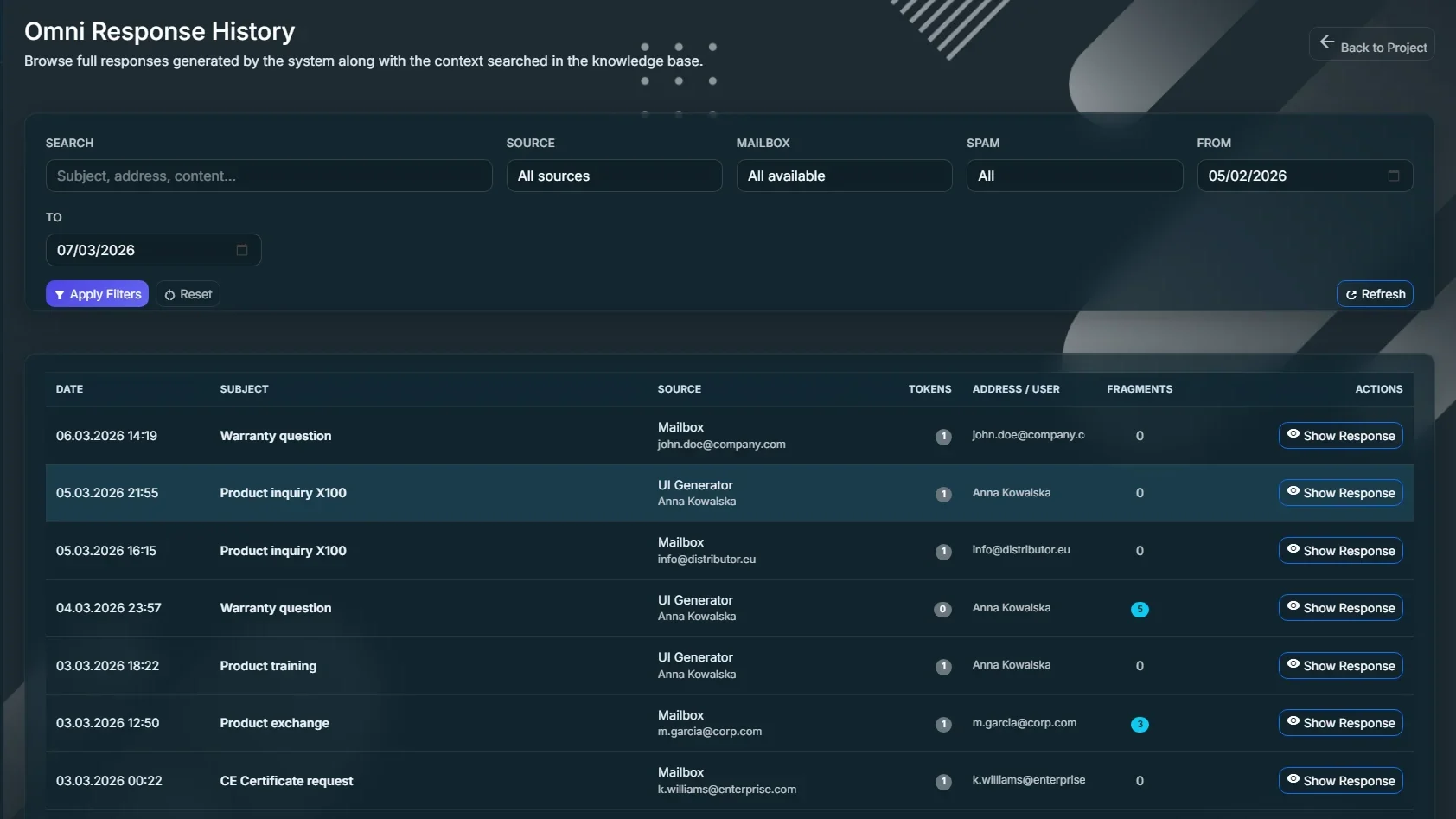
When an email arrives, OmniResponse recognises whether someone expects a reply, searches your knowledge base for relevant information and generates an accurate draft — it lands in your mailbox’s Drafts folder.
4. You Review & Send
Open your email client, review the AI draft, edit if needed, and hit Send. You stay in control. Always.
Human in the loop
The final word always belongs to your team
Nothing is sent automatically
The draft waits in your mailbox’s drafts folder. A person, not the system, presses Send.
Your customer hears from you
Not from a bot. Tone, form and content remain your decision.
People confirm numbers and terms
Prices, deadlines and contract terms are always checked by your team before a reply reaches the customer.
The customer’s language, your approval
Omni detects the language of the email and replies in the same language. Your team still approves the content.
An autoresponder that writes to customers on its own will sooner or later write something you never wanted. That is why OmniResponse doesn’t send. It prepares — and a person decides.
Features
Key features
Smart Knowledge Base
Your documents become instant answers
Upload PDFs, Word and ODT files, Excel spreadsheets, text files and saved emails. Scanned PDFs are read by AI — including tables and descriptions of charts. Omni searches three ways at once — by meaning, by keywords and by exact phrases (like contract numbers) — then a second AI model picks the most relevant passages.
10 file formats · AI-powered OCR · Cloud storage auto-sync · Antivirus scanning
Intelligent Email Monitoring
Drafts waiting in your inbox before you even open it
Connect Gmail, Outlook, or any IMAP account. OmniResponse monitors selected folders in real time. It recognises spam, notifications and urgent messages — drafts are created only where someone expects a reply. Drafts land in your mailbox’s Drafts folder with proper threading — as if you wrote them yourself.
Real-time IMAP monitoring · Spam filtering · Thread-aware replies · Multi-language detection
Enterprise-Grade Security
Access control and encryption of sensitive data
Mailbox and cloud credentials, as well as message and draft content, are encrypted with AES-256-GCM using a separate key for each company. Company data is separated at the database level (row-level security), and each company’s knowledge is stored in its own separate collection. Two-factor authentication is mandatory, and an audit log records sign-ins and administrator access. We don’t train AI models on your data, and our AI providers are contractually committed not to use it to train their models.
AES-256-GCM encryption · MFA with 12 recovery codes · Audit log
Analytics & Team Management
Track time saved and prove ROI
See the estimated time your team saved and the most-used knowledge passages and documents (Professional and above). Manage multiple projects, assign packages, and control access with role-based permissions.
Estimated time saved · Most-used passages · Multi-project management · CSV and PDF export
Next step
See OmniResponse on your own emails
30 minutes on a sample of your documents: we’ll show drafts for your typical questions and plan a start on one mailbox.